
Pickup Lockers Now Available!
We are excited to begin service using our new library pickup lockers! Patrons may choose to pick up their holds at either the Community Center or Senior Center. Please review the FAQs below for more information about using the lockers.
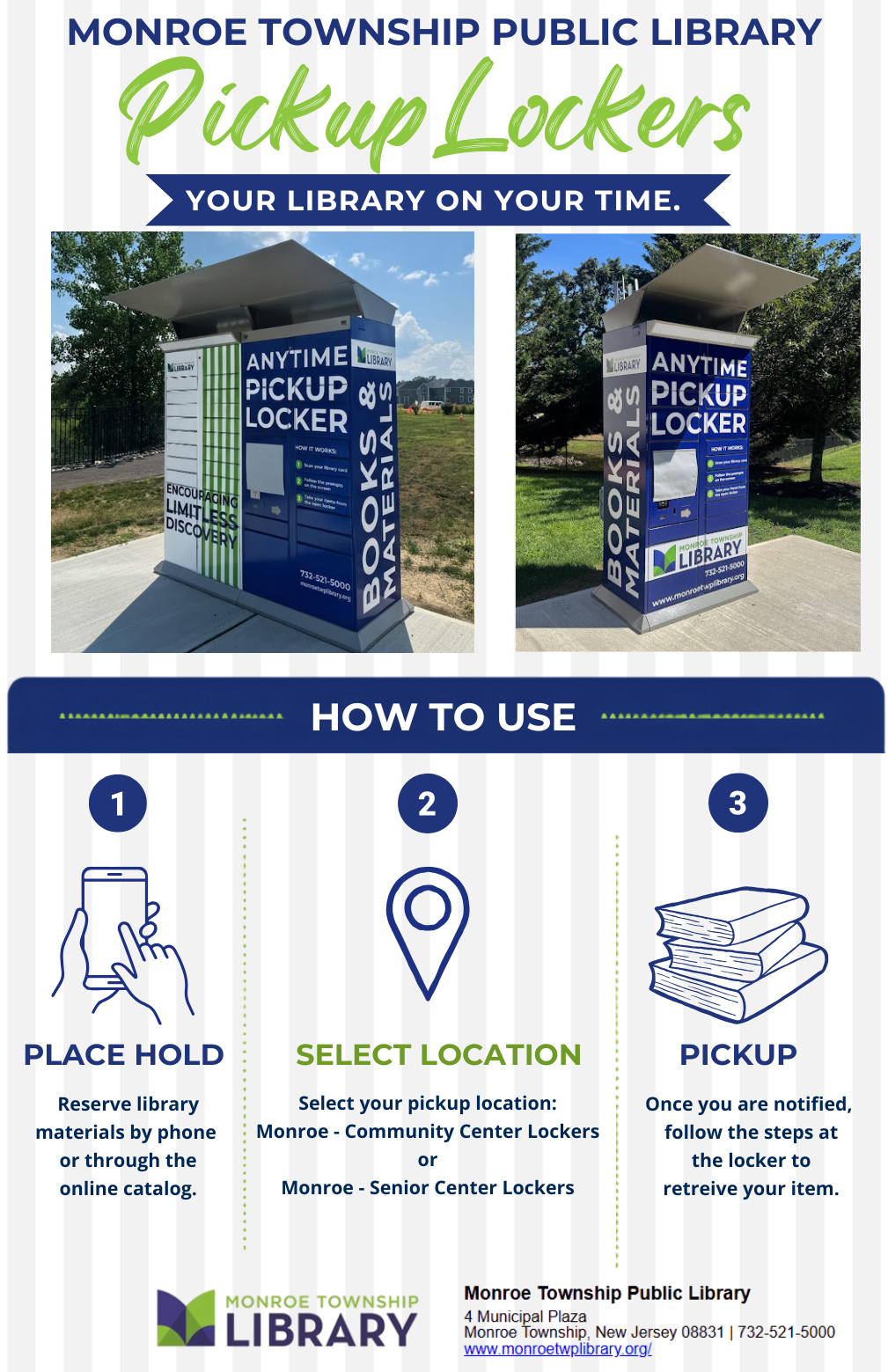
Your library on your time!
You can now pick up your holds at any time at the pickup lockers located at the Community Center (120 Monmouth Road) and Senior Center (12 Halsey Reed Road).
How to Use the Pickup Lockers
- Place a hold through the online catalog or modify your hold pick-up location in the STELLA app. You can also place a hold in person or by phone.
Select your preferred pickup location:
Monroe – Community Center Lockers
Monroe – Senior Center Lockers
- Wait for your notification. You will receive an email, text message, or phone call when your hold is ready for pickup, based on your notification preferences. You will have five days to pick up your materials.
- Visit the lockers at your convenience. Lockers are available 24 hours a day.
- At the locker, tap “Hold(s) Pickup” and follow the prompts on the screen. Scan your library card or use the touchscreen to enter your library card number.
- Once your account information has been entered correctly, one or more locker doors will open. Your items are automatically checked out to you when the locker opens.
- Remove all items before closing the locker doors, then select “Done” on the touchscreen.
Pickup Locker FAQs
When can I pick up my books in the locker, and how many days do I have to pick up items?
You will be notified when your item is ready for pickup. You will have five days to pick up your hold. Lockers are available 24 hours a day.
If your items are not picked up within the 5-day pickup window, they will be removed from the locker, and the hold will be removed from your account. Please contact the library if you would like to reactivate your holds.
How do I pick up my holds in a locker?
When you arrive, scan your library card or enter your library card number on the screen. Once you enter your information and follow the prompts on the screen, one or more locker doors will open. Items are checked out as soon as the locker opens. Please take all items with you and be sure to close all locker doors.
How will I know if my hold is ready for pickup?
When your hold is ready for pickup, you will receive a notification by your preferred method: email, text message, or phone call. You will be notified using the same method you selected for notifications about holds available for pickup at the library.
What items cannot be checked out from the lockers?
Due to lending policies, the following items cannot be picked up at the lockers:
– Hotspots
– Museum passes
– Interlibrary loans from libraries outside of the STELLA consortium
– Items from our Library of Things, including board games, Tonies, American Girl dolls, and more
Do I need my library card with me to use the lockers?
You do not need your physical library card, but you will need to know your card number.
Can I use the lockers to return items?
No. The lockers are for picking up holds only. Please return items using the library book drop located near the lockers, at the library, or on the Bookmobile.
Who do I contact if I have a problem using the lockers?
Please contact the library during operating hours at (732) 521-5000. The library is open Monday through Thursday from 9:30 a.m. to 9:00 p.m., Friday from 9:30 a.m. to 5:00 p.m., and Saturday and Sunday from 10:00 a.m. to 5:00 p.m.
Will I be able to use the lockers if my card has fines or lost items on it?
To use the lockers, your library card must be in good standing. Accounts with fines exceeding $5.00 or items marked as “lost” are not eligible for locker pickup.
What if I accidentally close the locker before removing all of my items?
If you accidentally close the locker door before removing all of your library materials, or if you accidentally leave a personal item, such as your keys or sunglasses inside, you have one hour to reopen the locker and retrieve your items. Simply return to the locker and follow the prompts on the touchscreen to access your locker again.