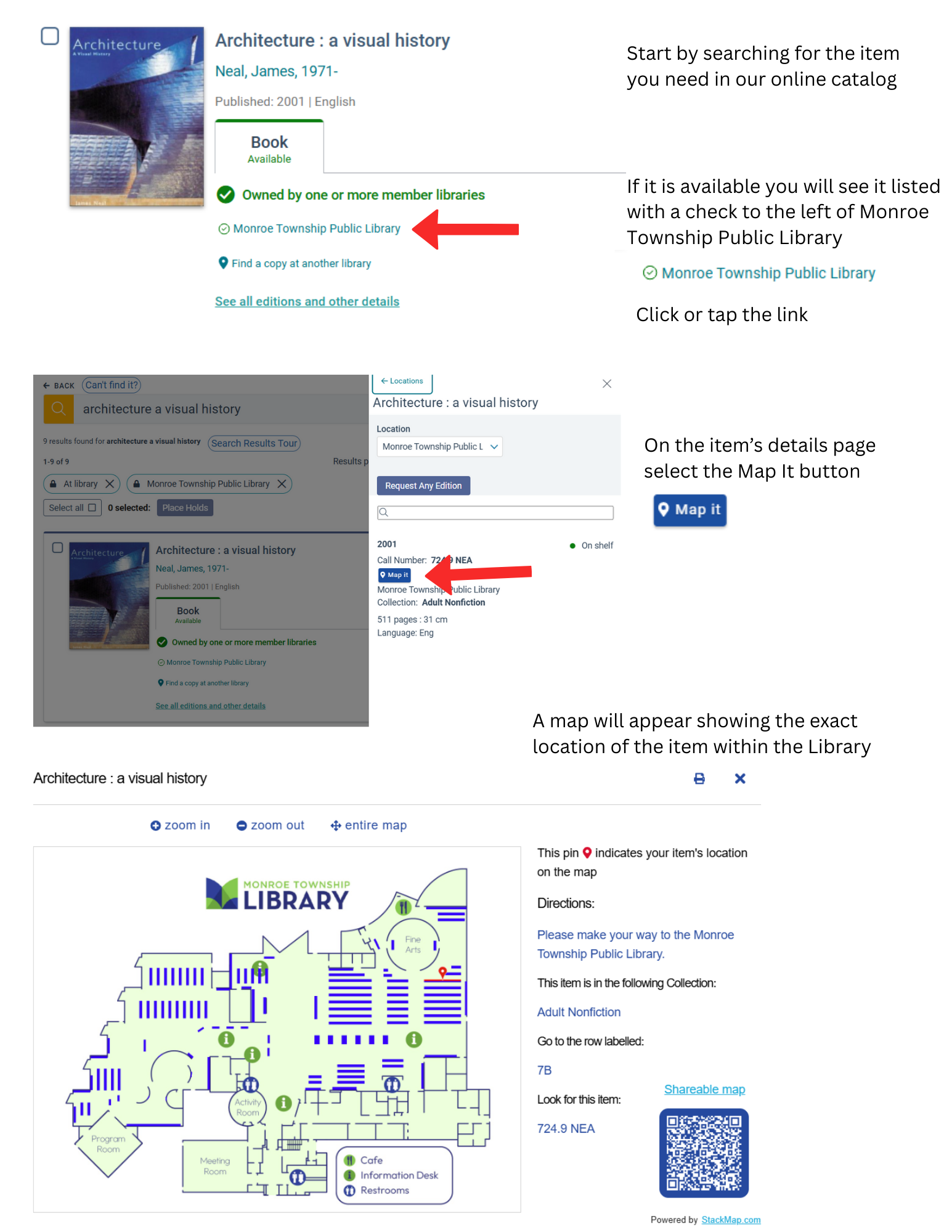
We’ve introduced StackMap, a powerful tool that helps you locate materials in our library with ease. Simply search for an item in our catalog, and StackMap will display its exact location on a detailed map of the building. This feature is designed to save you time and make your visit more efficient.
How to Use StackMap
- Search the Catalog – Start by searching for the item you need in our online catalog.
- Click “Map It” – On the item’s details page, select the Map It button.
- View Location – A map will appear showing the exact location of the item within the library.
- Navigate Easily – Use the map to find the item quickly during your visit.